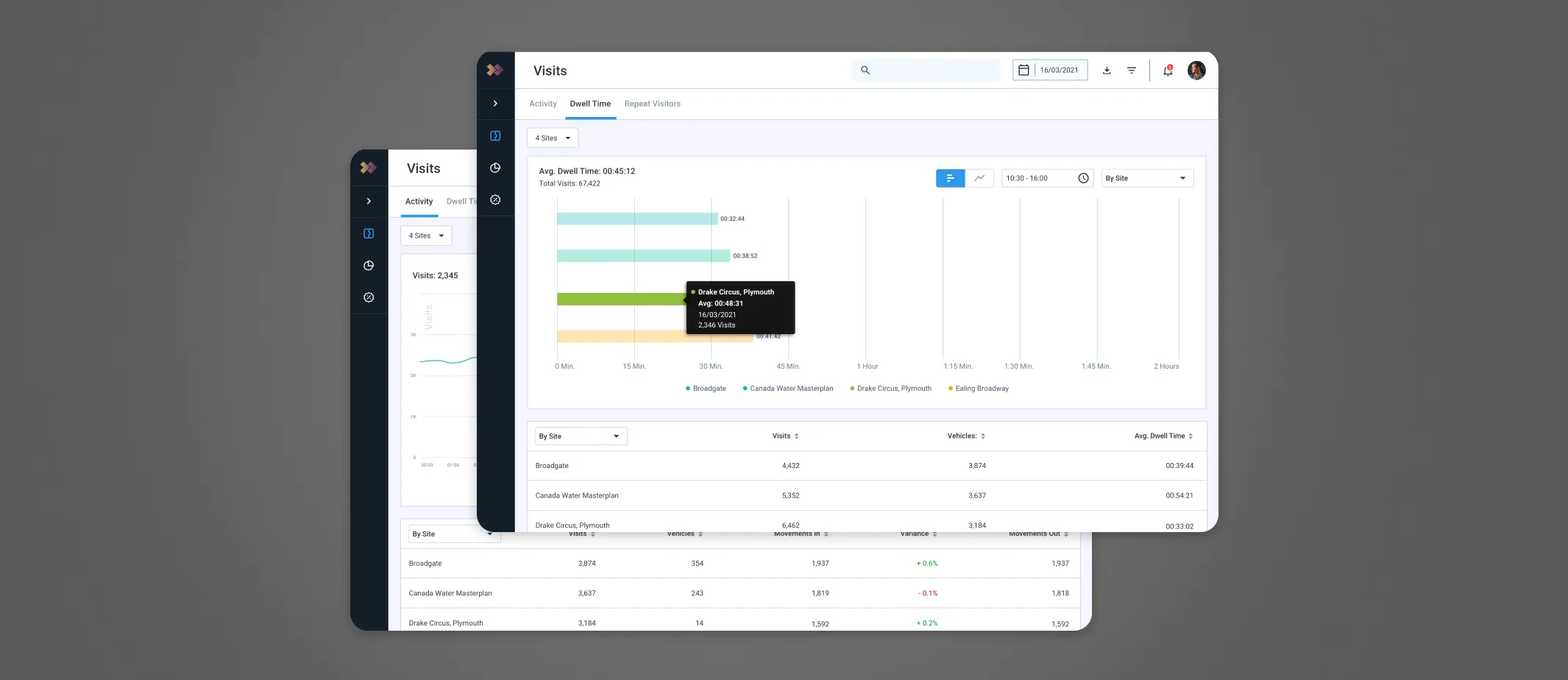
Streamlined Car Park Management System
Drivers went up by 20%
A Deep Dive into Our Mission and Vision
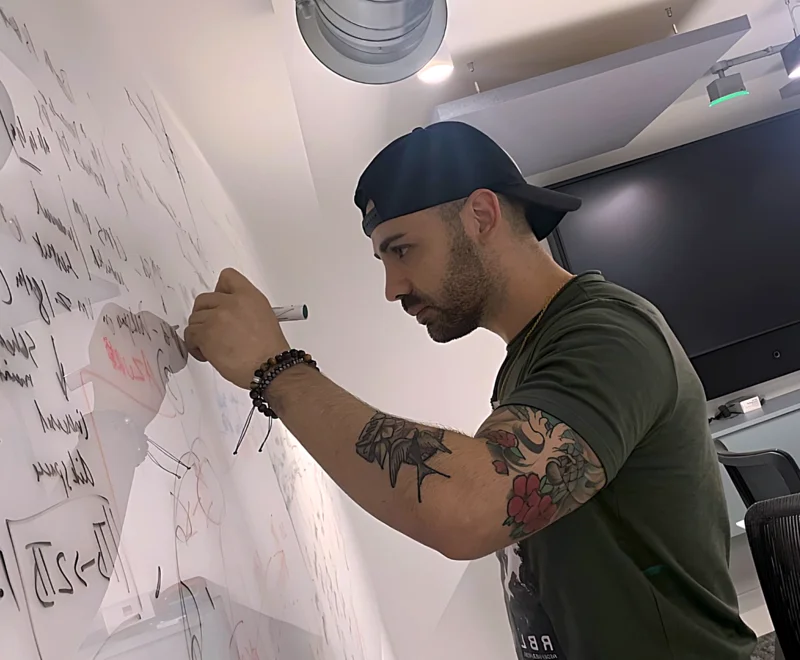
My role
I played a key role as a Product Designer, partnering closely with a UX Researcher. Our collaboration unearthed invaluable insights. I supported a project that had already started, focusing on making it more user-friendly. While I couldn’t change the overall structure, I worked within limitations and constraints set by the product and development teams. My deep understanding of the platform was vital, given how our new feature impacted various existing functions.
😤 Problem
Processing individual car park permit requests had become increasingly inefficient.
🧐 Objective
Designing a new feature to streamline car park permit requests, aiming to save time and improve profits.
The users and their roles

Admin User
Lara, a B2B user: as an Admin User in the NexusPlatform, is responsible for managing car park permits.

Request Approver
Tim, a B2B user: assists the Admin user in overseeing car park permits and applications, with limited access.

End User
Lucas, a B2B2C user: needs a car permit to access one of the sites.
Solving scoring logic and form builder friction
The original form builder was time-consuming and error-prone due to multi-step processes and manual configurations. My goal was to streamline workflows, automate repetitive tasks, and make the system more user-friendly. The redesign focused on three areas:

Form Builder flow
The form builder was originally designed as a multi-step process, which added unnecessary complexity. Many of these actions, such as adding a tariff to a question, would work better as direct, single-step actions. This change would allow users to access relevant settings immediately, instead of navigating through multiple layers.

Scoring logic
Another major issue was the scoring logic. In the original design, users could set an auto-reject if a minimum score was not achieved, but the system was unintuitive. The setup required too much manual configuration, which led to confusion, friction, and mistakes.

Conditions & triggers
Conditions and triggers also lacked efficiency. Much of the process had to be handled manually, often resulting in errors. I focused on redesigning these elements so that more could be automated, reducing user workload and making the overall experience smoother, faster, and more user-friendly.

We went for an intensive 2 week research sprint
12+ user interviews
We explored existing solutions
Mapped out SWOT analysis
We interviewed 4 users for each role and and here are the three key takeaways
Minimum user criteria
In order to create a car park permit, we need essential information such as the VRM (Vehicle Registration Mark).
Setup work-flow
Some businesses managing multiple sites may need a line manager (Request Approver) to assist the admin
Make later changes
End users buying long-term permits may upgrade vehicles, requiring permit updates.
Prioritisation for Strategic Clarity
Swamped with insights, we jumped into secondary research to form our product strategy and experience.
Created affinity maps
Mapping the user journey, identifying key steps
Presented the insights to stakeholders
Quick glance at the existing permit feature enhancement
Here is an overview of the Permit Management Extension System capabilities and their corresponding information structure, emphasising the new features and permission access.
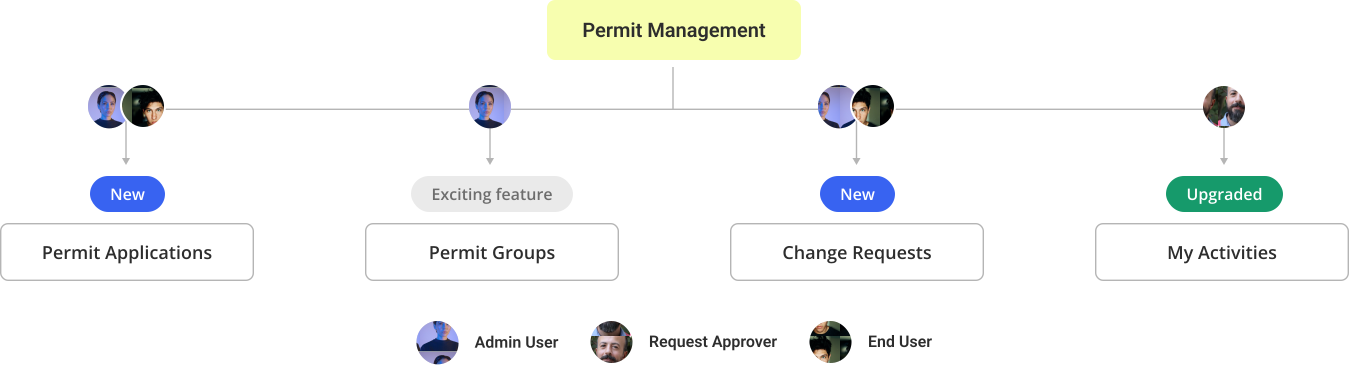
After collecting numerous ideas, we have condensed them into three baskets
Application builder
A new tool for creating custom permit forms, along with a feature for handling application requests.
Change request
We added a new feature for end users to manage permit change requests for their active permits.
User friendly form
We wanted to make it easy for users to fill out the application by adding features like autofill.
Progressing to the UI
We were on a tight deadline, and developers needed to begin building soon. Hence, here are three major steps to be taken before delivering to the development team.
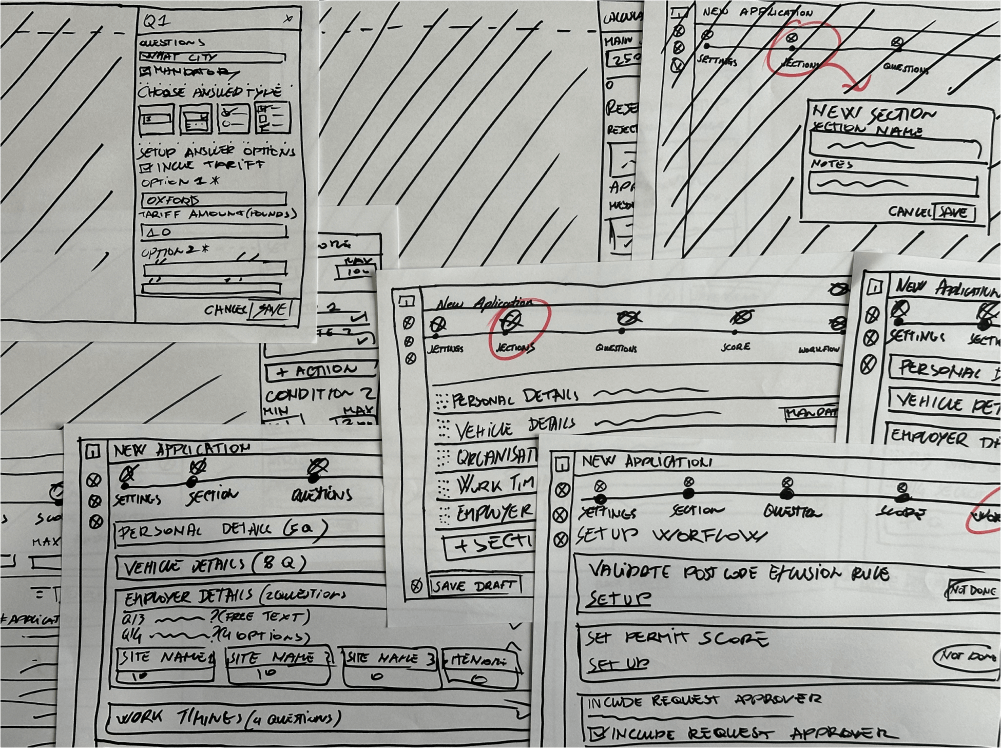
Tested early concept designs with the team
Created high fidelity designs
Validate through user testing the interactive prototypes
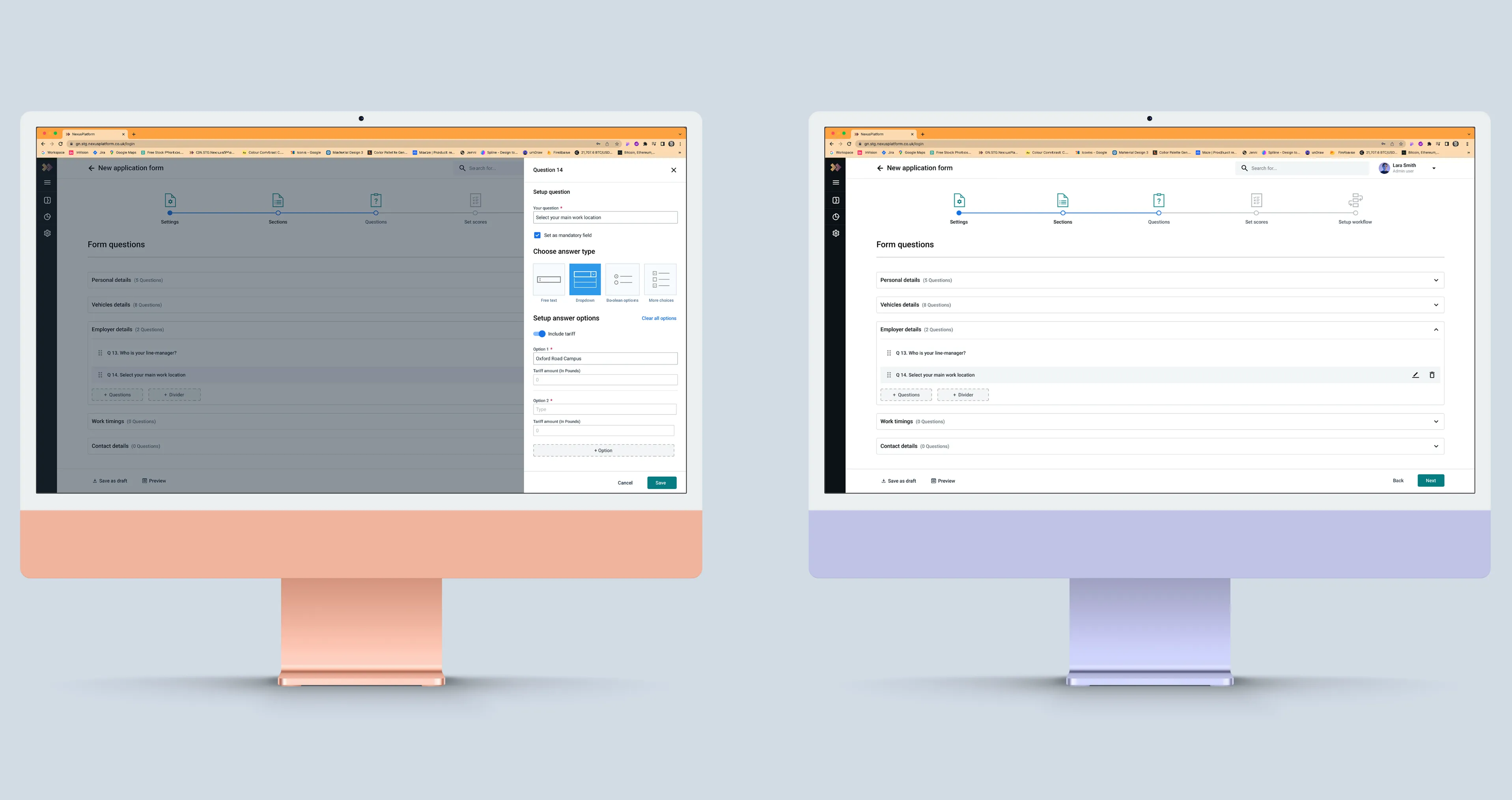
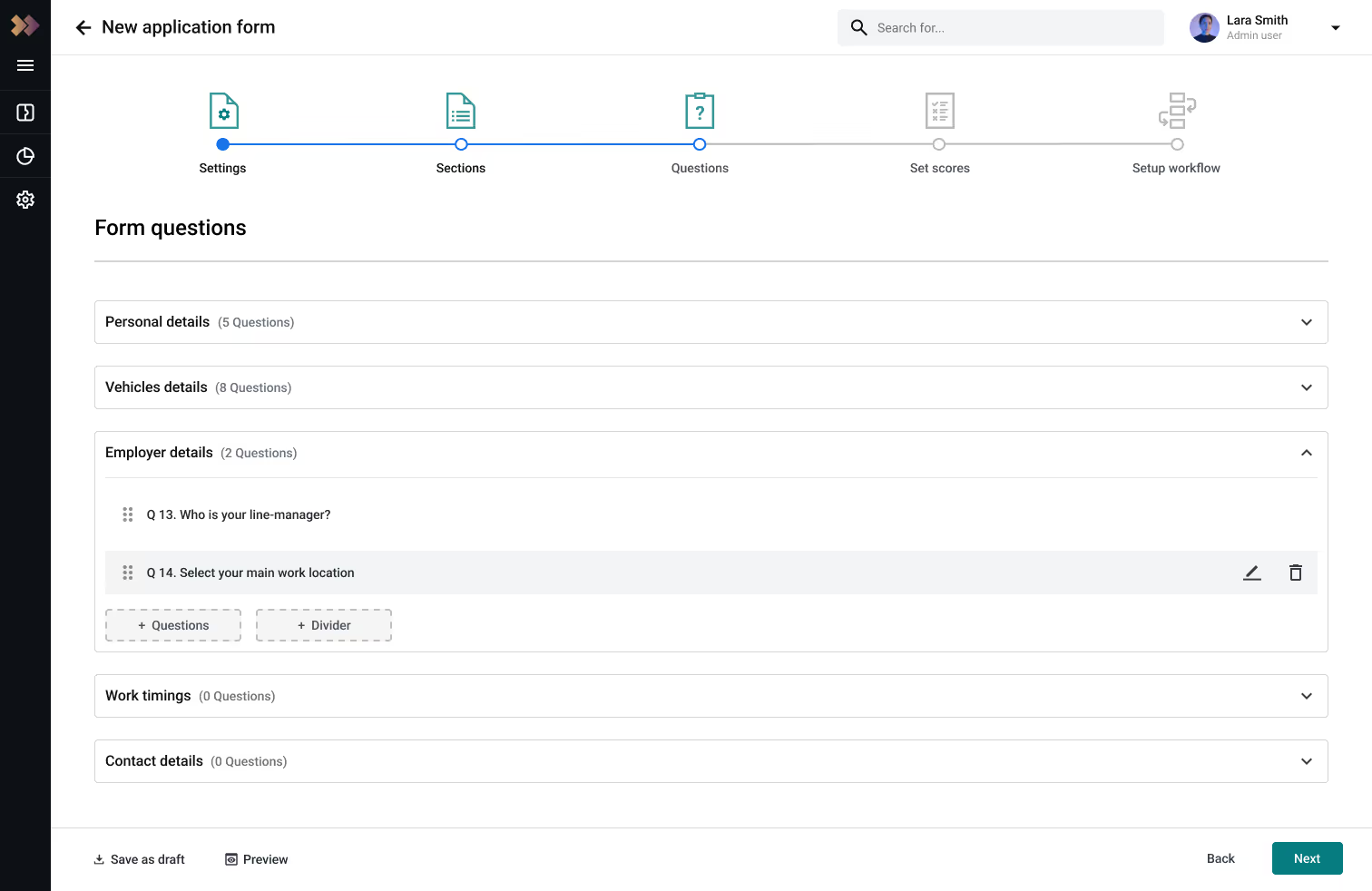
View of the third step of creating a Permit Application
The application form construction process is supported by a multi-step approach that aids the Admin user in completing the task efficiently.
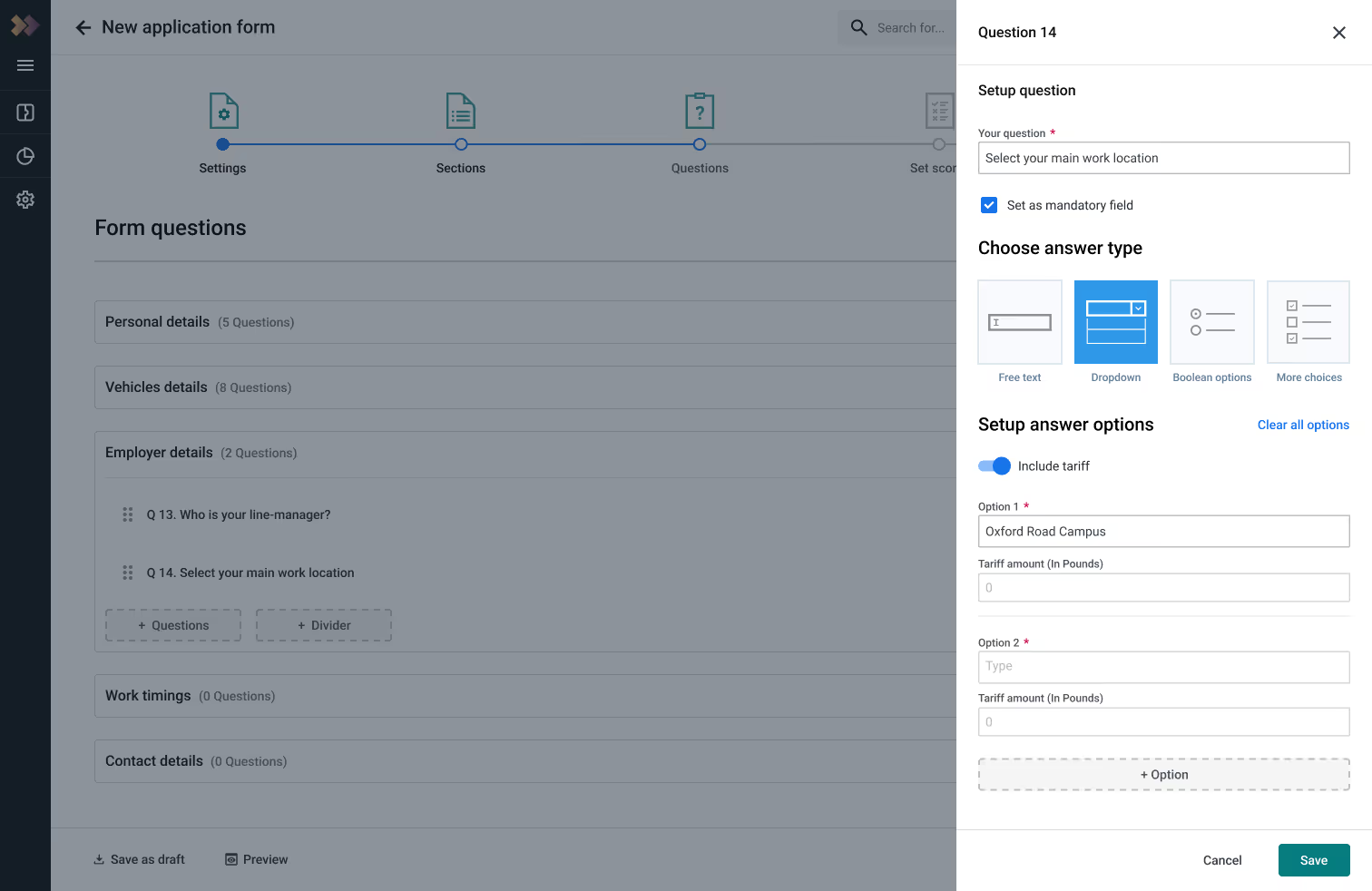
Avoiding confusion
The right panel aids Admin users in efficiently editing questions by organising a wide range of functionalities.
Overall design highlights End User
User-friendly interface
Minimum user criteria
Scalable design solutions
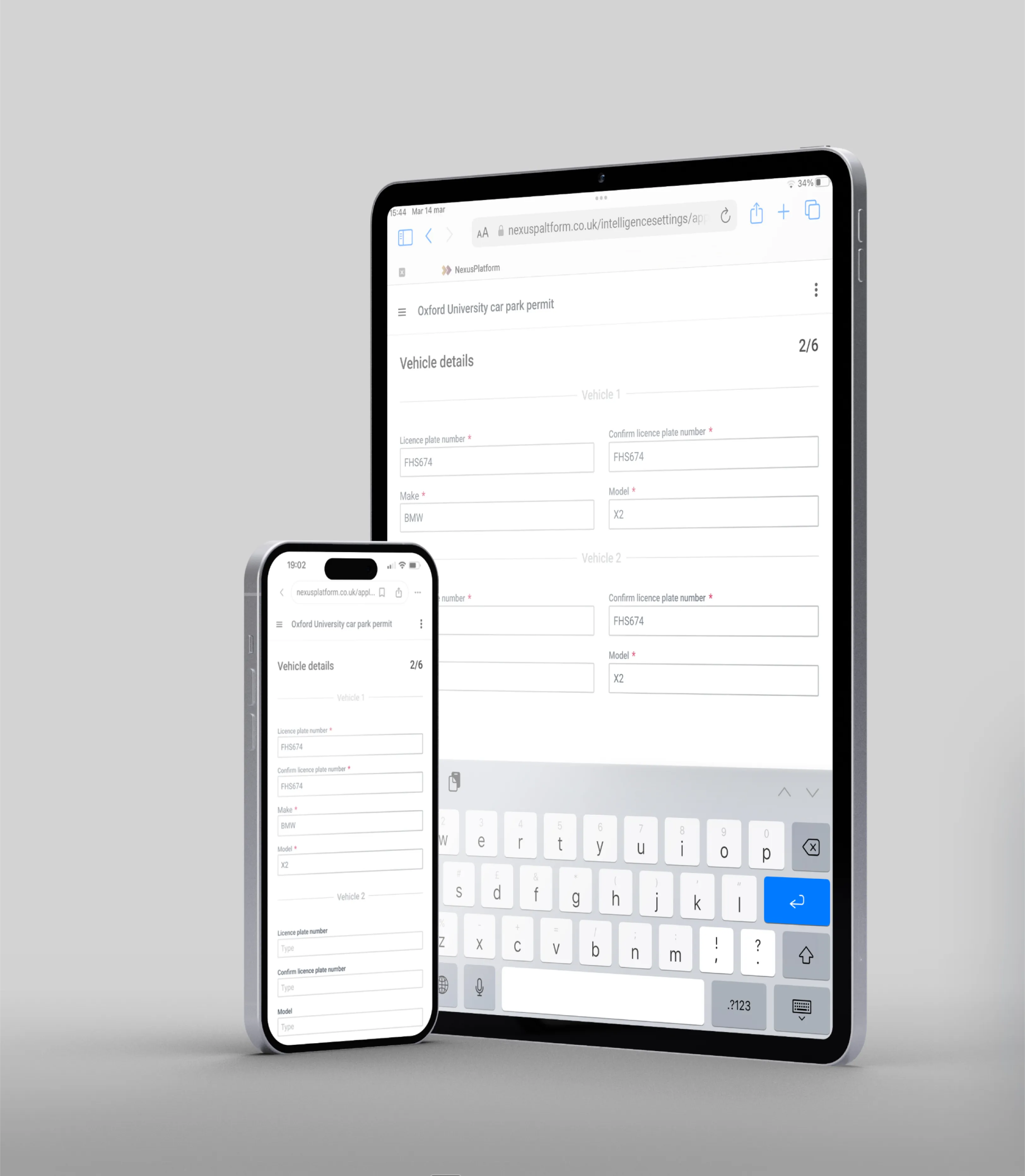
Image Gallery
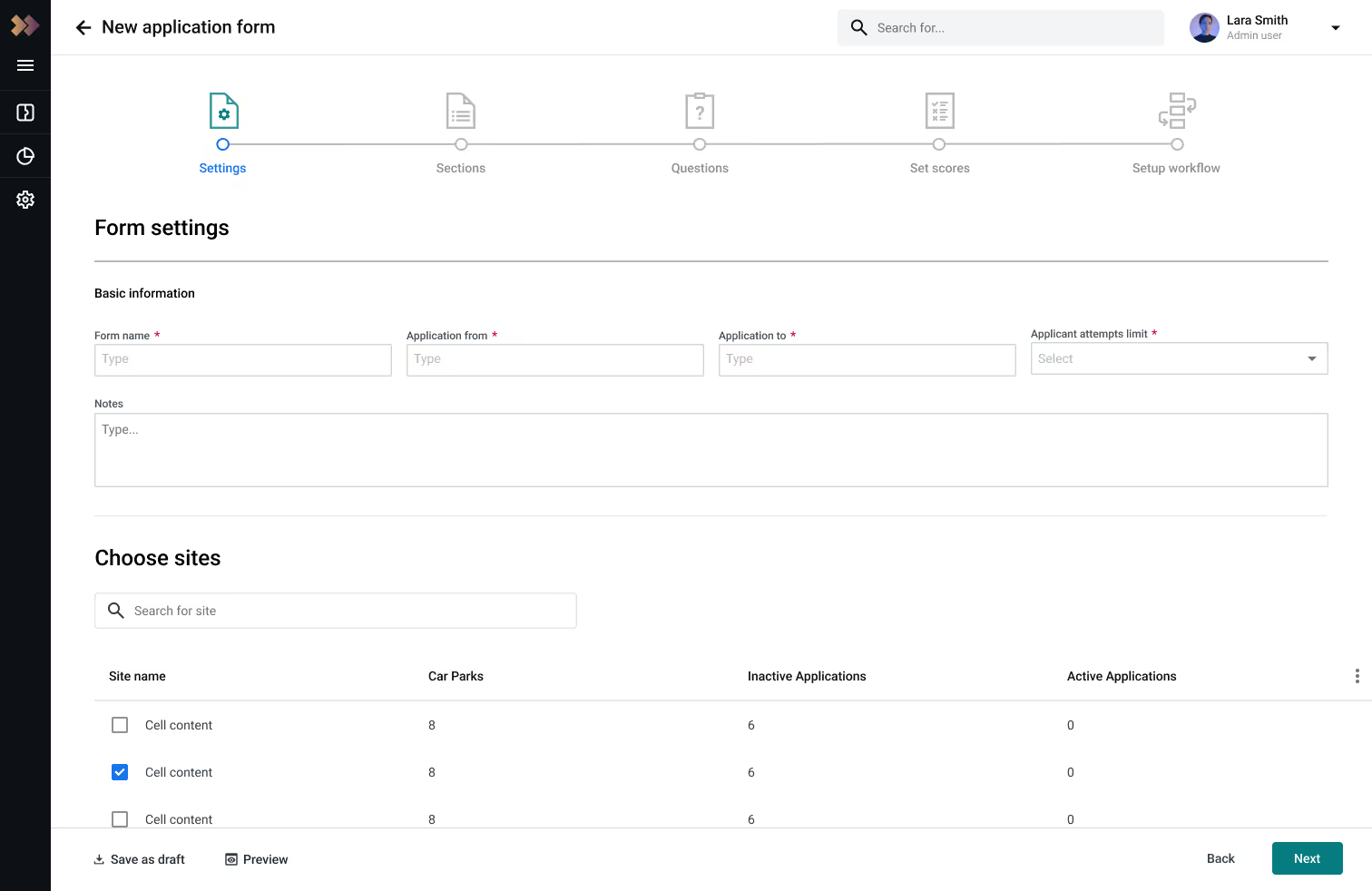
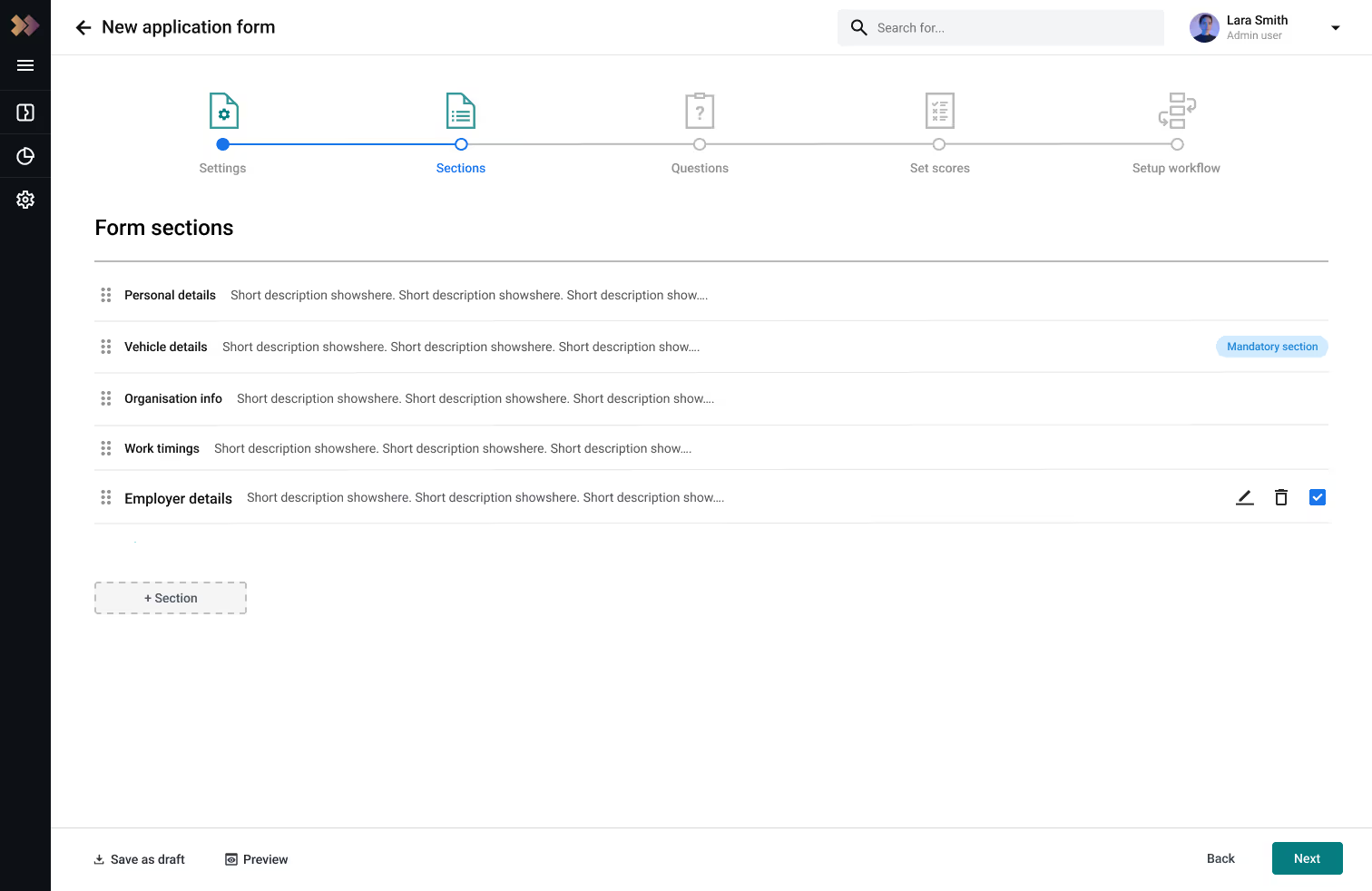
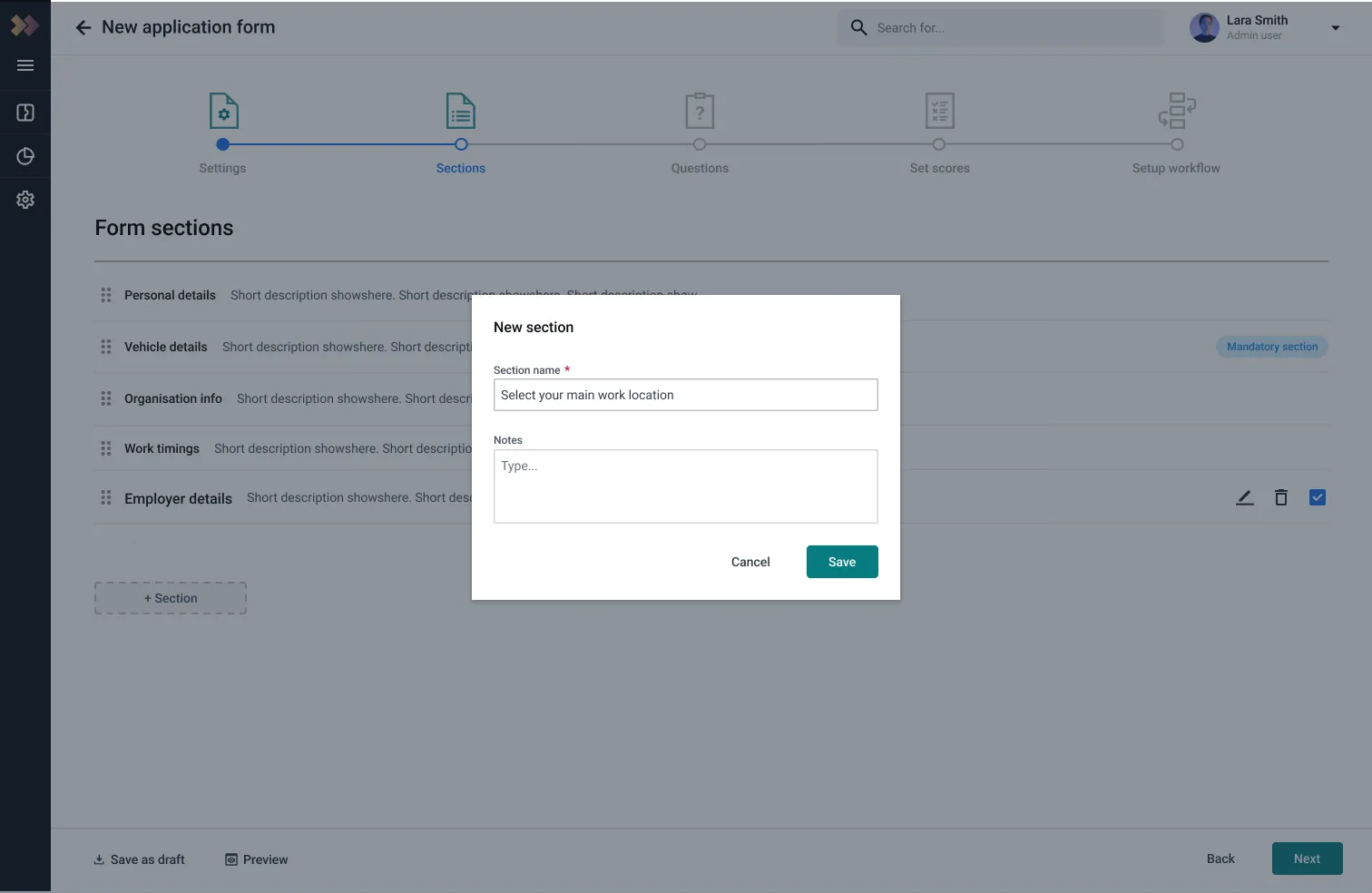
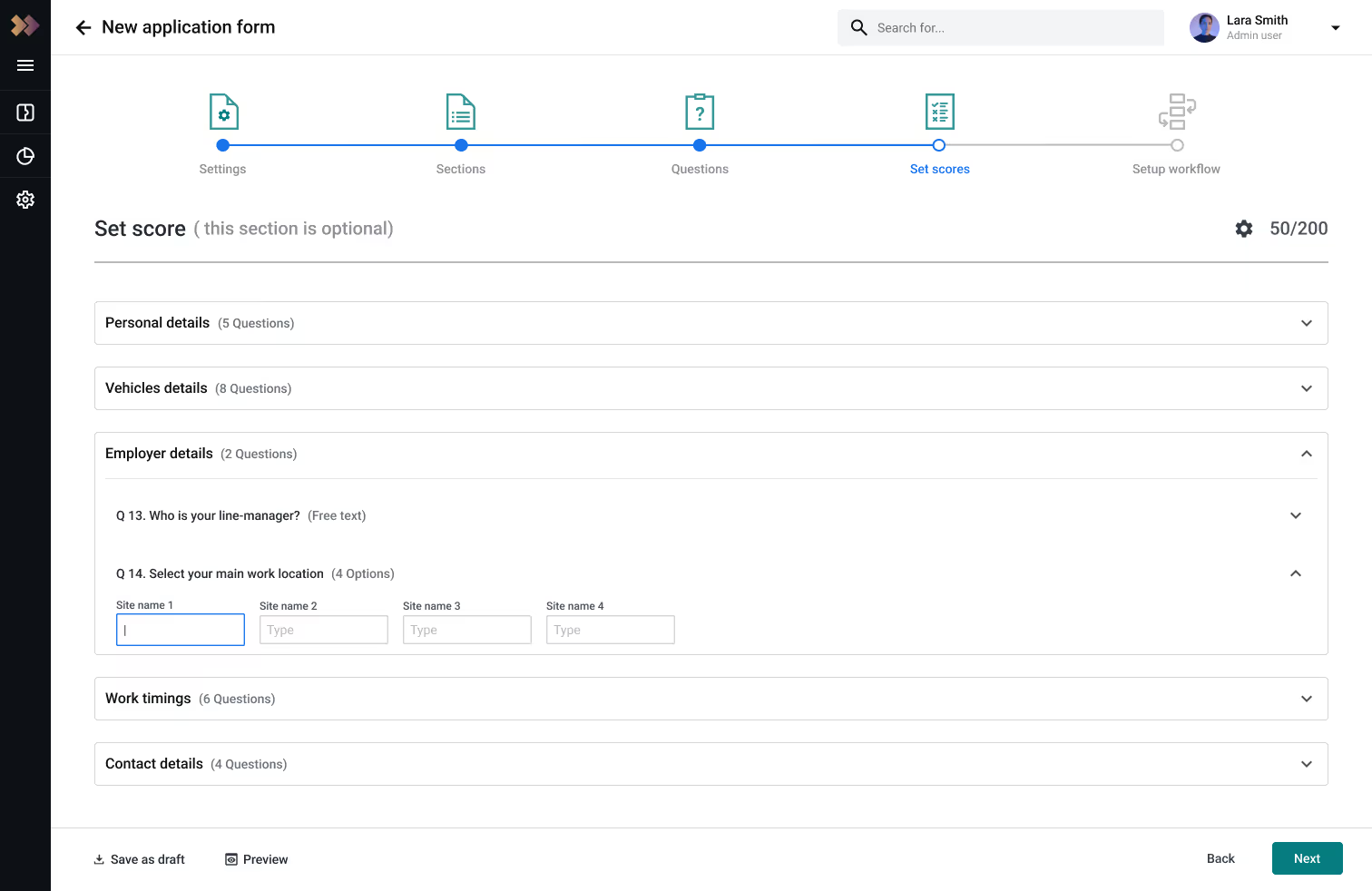
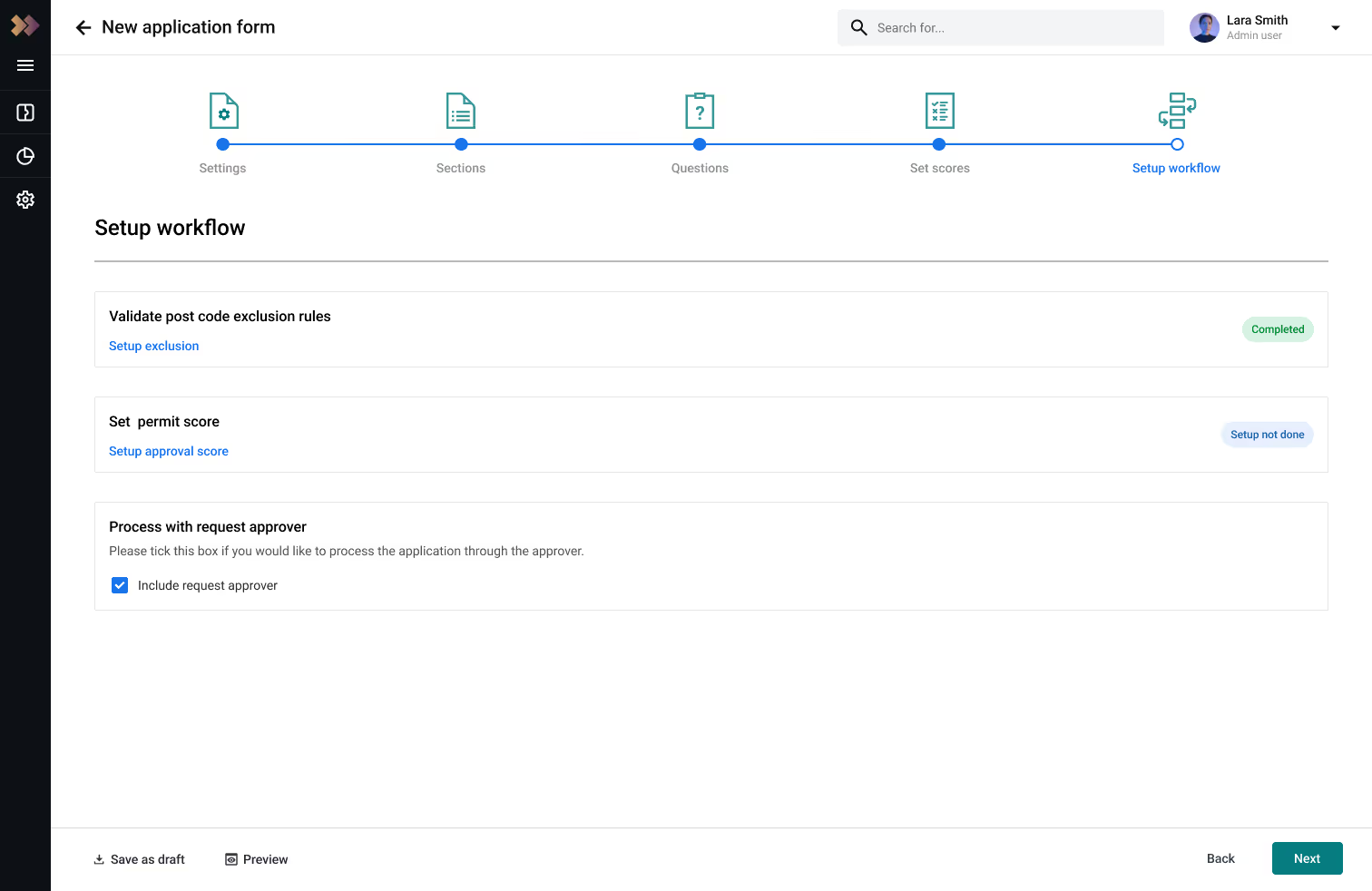
Extra screens for the form application builder.
We successfully launched 3 months later the new feature
We welcomed new clients, such as the NHS and PureGym, to the NexusPlatform.

PORTFOLIO
Explore additional projects
I’ve worked on a wide range of projects, primarily in SaaS, as well as Shopify, Webflow, and more. Most recently, I’ve focused my efforts on these areas, which I’ve enjoyed the most.